在使用行内语法(如加粗、斜体等)时,如果需要加粗的文本中包含特殊字符,并且加粗标识符(如 **)前后紧挨着其他字符,请务必在第二个标识符(如 **)后添加至少一个空格。否则,Markdown 解析器可能无法正确识别加粗效果。
示例:
错误写法:AAA**I have a dream.**BBB
正确写法:AAA**I have a dream.** BBB
同样的问题也适用于其它行内语法(如斜体等),请注意在语法标识符后添加空格以确保正确解析。
🐶 标题
markdown
## 标题🐱 加粗
I have a dream that one day this nation will rise up.
markdown
**I have a dream that one day this nation will rise up.**🐭 斜体
It is a dream deeply rooted in the American dream.
markdown
_It is a dream deeply rooted in the American dream._🐹 删除线
It is a dream deeply rooted in the American dream.
markdown
~~It is a dream deeply rooted in the American dream.~~🐻 超链接
markdown
[md-editor-v3](https://imzbf.github.io/md-editor-v3/)🐼 图片
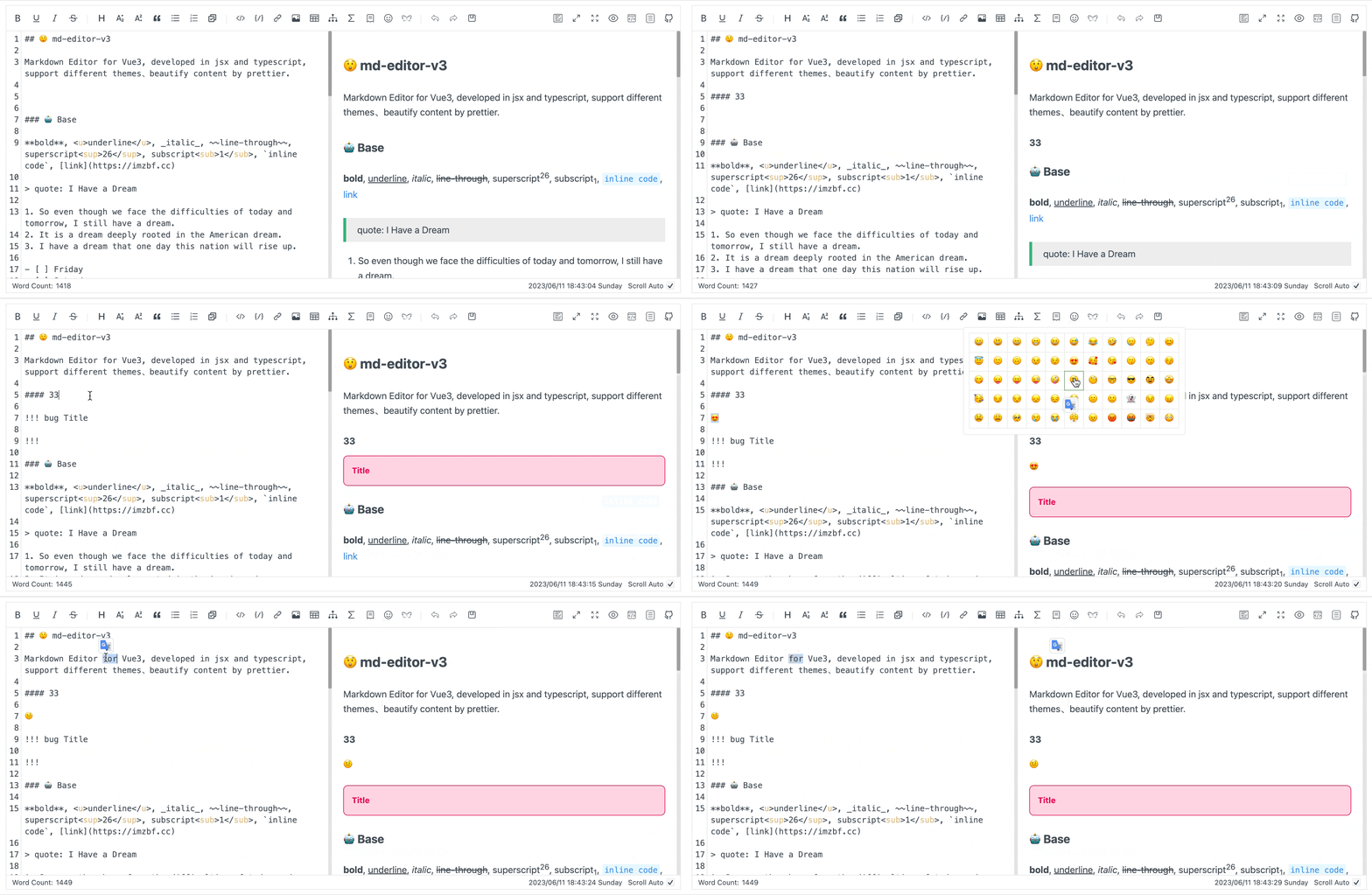
markdown
🙉 下划线
下划线使用原生 HTML 标签 <u>,工具栏按钮和快捷键都会插入这种写法。由于默认 html: false,它会显示为普通文本。需要渲染下划线时,请通过 markdownItConfig 显式开启 html: true。
markdown
<u>So even though we face the difficulties of today and tomorrow, I still have a dream.</u>🙊 上标
I have a dream that one day this nation will rise up.[1]
markdown
I have a dream that one day this nation will rise up.^[1]^🐒 下标
I have a dream that one day this nation will rise up.[2]
markdown
I have a dream that one day this nation will rise up.~[2]~🐰 行内代码
md-editor-v3
markdown
`md-editor-v3`🦊 块级代码
markdown
```js
import { MdEditor } from 'md-editor-v3';
import 'md-editor-v3/lib/style.css';
```
🖍 行高亮
>= v7.0.0
在语言标识后添加 {...} 可高亮指定代码行。行号从 1 开始,多个行号使用逗号分隔,连续区间使用 起始行-结束行;支持 js {2,4-5} 和 js{2,4-5} 两种写法。
js
import { ref } from 'vue';
import { MdEditor } from 'md-editor-v3';
import 'md-editor-v3/lib/style.css';
const value = ref('# Hello');
export { MdEditor, value };
markdown
```js {2,4-5}
import { ref } from 'vue';
import { MdEditor } from 'md-editor-v3';
import 'md-editor-v3/lib/style.css';
const value = ref('# Hello');
export { MdEditor, value };
```
行高亮与 showCodeRowNumber 相互独立,隐藏行号后仍会保留高亮效果。
🗄 代码组合
-
-
-
shell
shell
shell
yarn add md-editor-v3npm install md-editor-v3pnpm install md-editor-v3
markdown
```shell [id:yarn]
yarn add md-editor-v3
```

```shell [id:npm]
npm install md-editor-v3
```

```shell [id:pnpm]
pnpm install md-editor-v3
```
🤌🏻 强制折叠
js
import { MdEditor } from 'md-editor-v3';
import 'md-editor-v3/lib/style.css';
markdown
```js ::close
import { MdEditor } from 'md-editor-v3';
import 'md-editor-v3/lib/style.css';
```
👐 强制展开
js
import { MdEditor } from 'md-editor-v3';
import 'md-editor-v3/lib/style.css';
markdown
```js ::open
import { MdEditor } from 'md-editor-v3';
import 'md-editor-v3/lib/style.css';
```
据其他编辑器的了解,目前没有其他编辑器使用类似的语法,如果需要拷贝你的内容到其他编辑器展示时,请谨慎使用该语法。
🐻❄️ 引用
引用:《I Have a Dream》
markdown
> 引用:《I Have a Dream》🐨 有序列表
- So even though we face the difficulties of today and tomorrow, I still have a dream.
- It is a dream deeply rooted in the American dream.
- I have a dream that one day this nation will rise up.
markdown
1. So even though we face the difficulties of today and tomorrow, I still have a dream.
2. It is a dream deeply rooted in the American dream.
3. I have a dream that one day this nation will rise up.
🐯 无序列表
- So even though we face the difficulties of today and tomorrow, I still have a dream.
- It is a dream deeply rooted in the American dream.
- I have a dream that one day this nation will rise up.
markdown
- So even though we face the difficulties of today and tomorrow, I still have a dream.
- It is a dream deeply rooted in the American dream.
- I have a dream that one day this nation will rise up.🦁 任务列表
- 周五
- 周六
- 周天
markdown
- [ ] 周五
- [ ] 周六
- [x] 周天支持在预览模块切换任务状态的示例
🐮 表格
| 表头 1 | 表头 2 | 表头 3 | 表头 4 |
|---|---|---|---|
| 左对齐 | 中间对齐 | 右对齐 | 默认 |
markdown
| 表头 1 |  表头 2  | 表头 3 | 表头 4 |
| :----- | :------: | -----: | ------ |
| 左对齐 | 中间对齐 | 右对齐 | 默认   |
🐷 数学公式
有两种模式
🐽 行内
x+y^{2x} \xrightarrow[under]{over}
markdown
$x+y^{2x}$

<!-- or -->

\(\xrightarrow[under]{over}\)
🐸 块级
\sqrt[3]{x}
\xrightarrow[under]{over}
markdown
$$
\sqrt[3]{x}
$$

<!-- or -->

\[\xrightarrow[under]{over}\]更多公式示例参考:https://katex.org/docs/supported.html
🐵 图表
markdown
```mermaid
---
title: Example Git diagram
---
gitGraph
   commit
   commit
   branch develop
   checkout develop
   commit
   commit
   checkout main
   merge develop
   commit
   commit
```更多图形示例参考:https://mermaid.js.org/syntax/flowchart.html
🙈 提示
支持的类型
note、abstract、info、tip、success、question、warning、failure、danger、bug、example、quote、hint、caution、error、attention
markdown
!!! note 支持的类型

note、abstract、info、tip、success、question、warning

failure、danger、bug、example、quote、hint、caution、error、attention

!!!
📊 Echarts
>= v6.0.0
从 v7.x 开始,默认解析器使用 JSON5.parse,且顶层必须是对象。支持未加引号的属性名、单引号字符串、注释和尾随逗号等 JSON5 数据语法。JSON5 只解析数据,因此不支持函数、变量引用、new 或调用表达式。
支持反引号或波浪线围栏(如 ~~~echarts),也支持列表和引用中的代码块;只有围栏正确闭合后才初始化图表。
默认渲染防护会将 tooltip 设为 richText,HTML formatter 作为文本显示;同时转义数据视图文案并限制图表链接协议。baseOption、时间轴和 media 配置也遵循这些规则。parseOption 仅负责解析,更换解析器不会关闭渲染防护;仅对完全可信的文档才可覆盖 editorExtensions.echarts.sanitizeOption。详见 ECharts 配置与渲染防护。
markdown
```echarts
{
  tooltip: {
    trigger: 'axis'
  },
  xAxis: {
    type: 'category',
    data: ['Mon', 'Tue', 'Wed', 'Thu', 'Fri', 'Sat', 'Sun']
  },
  yAxis: {
    type: 'value'
  },
  series: [
    {
      data: [150, 230, 224, 218, 135, 147, 260],
      type: 'line'
    }
  ]
}
```
从 v7.x 开始,默认解析不会执行 JavaScript。若需函数回调等仅 JavaScript 支持的配置,可通过 editorExtensions.echarts.parseOption 自定义解析器。自定义解析器会接收原始 Markdown 内容,请仅在输入可信或完成严格校验后使用。
🦄 链接引用语法
markdown
[md-editor-v3][1]

[1]: https://imzbf.github.io/md-editor-v3/