When using inline syntax (such as bold, italic, etc.), if the text to be bolded contains special characters and the bold markers (like **) are immediately adjacent to other characters, be sure to add at least one space after the second marker (such as **). Otherwise, the Markdown parser may not correctly recognize the bold effect.
Example:
Incorrect: AAA**I have a dream.**BBB
Correct: AAA**I have a dream.** BBB
The same issue applies to other inline syntaxes (such as italics, etc.). Please remember to add a space after the syntax marker to ensure correct parsing.
🐶 Heading
markdown
## Heading🐱 Bold
I have a dream that one day this nation will rise up.
markdown
**I have a dream that one day this nation will rise up.**🐭 Italic
It is a dream deeply rooted in the American dream.
markdown
_It is a dream deeply rooted in the American dream._🐹 Strikethrough
It is a dream deeply rooted in the American dream.
markdown
~~It is a dream deeply rooted in the American dream.~~🐻 Link
markdown
[md-editor-v3](https://imzbf.github.io/md-editor-v3/)🐼 Picture
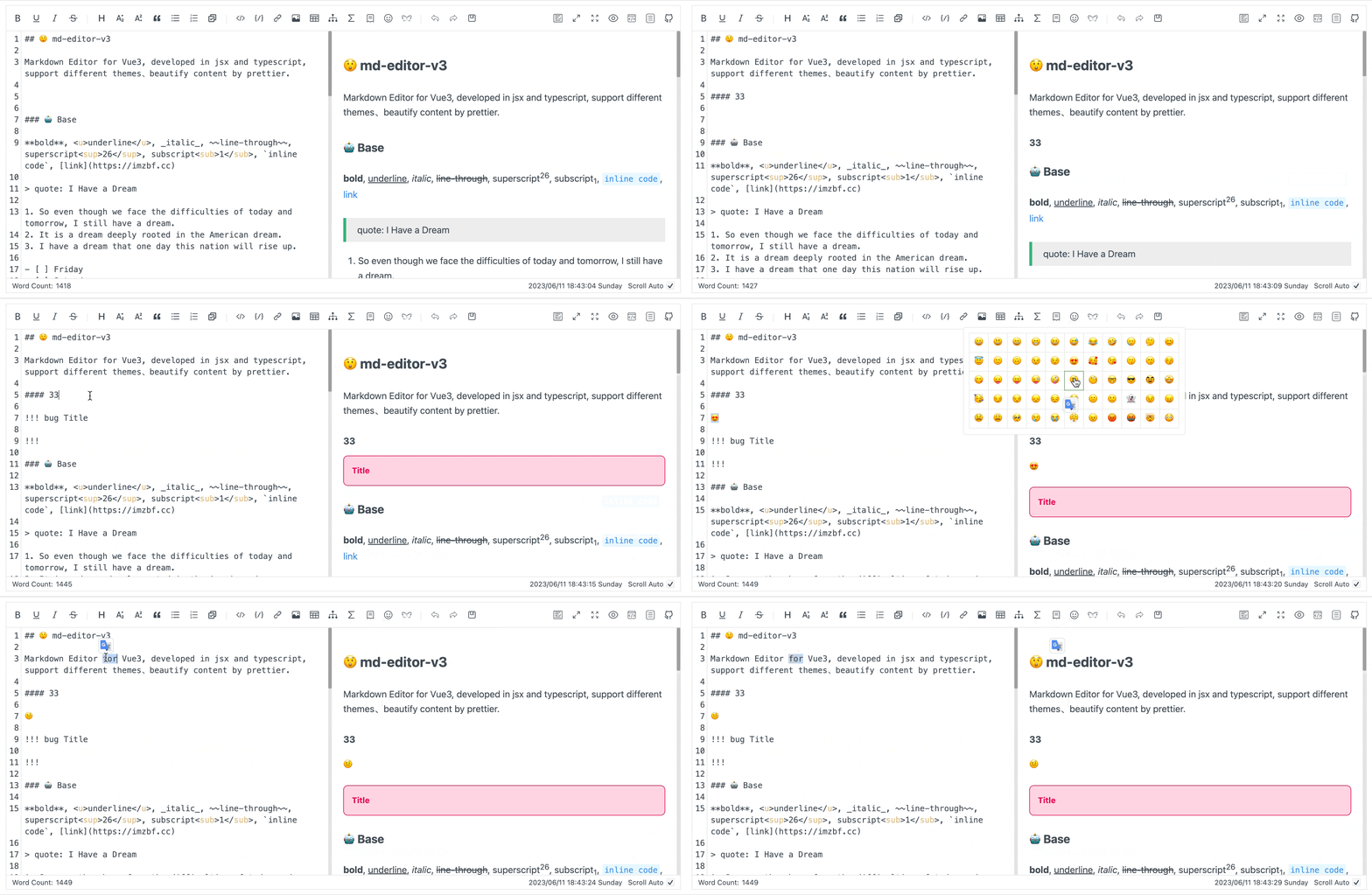
markdown
🙉 Underline
Underline uses the raw HTML tag <u>, which is also inserted by the toolbar button and shortcut. With the default html: false, it is displayed as text. To render an underline, explicitly enable html: true through markdownItConfig.
markdown
<u>So even though we face the difficulties of today and tomorrow, I still have a dream.</u>🙊 Superscript
I have a dream that one day this nation will rise up.[1]
markdown
I have a dream that one day this nation will rise up.^[1]^🐒 Subscript
I have a dream that one day this nation will rise up.[2]
markdown
I have a dream that one day this nation will rise up.~[2]~🐰 Inline Code
md-editor-v3
markdown
`md-editor-v3`🦊 Block Code
markdown
```js
import { MdEditor } from 'md-editor-v3';
import 'md-editor-v3/lib/style.css';
```
🖍 Line Highlighting
>= v7.0.0
Append a {...} marker to the language identifier to highlight specific code lines. Line numbers are 1-based; separate individual lines with commas and use start-end for ranges. Both js {2,4-5} and js{2,4-5} are supported.
js
import { ref } from 'vue';
import { MdEditor } from 'md-editor-v3';
import 'md-editor-v3/lib/style.css';
const value = ref('# Hello');
export { MdEditor, value };
markdown
```js {2,4-5}
import { ref } from 'vue';
import { MdEditor } from 'md-editor-v3';
import 'md-editor-v3/lib/style.css';
const value = ref('# Hello');
export { MdEditor, value };
```
Line highlighting works independently of showCodeRowNumber, so it remains active when line numbers are hidden.
🗄 Combination
-
-
-
shell
shell
shell
yarn add md-editor-v3npm install md-editor-v3pnpm install md-editor-v3
markdown
```shell [id:yarn]
yarn add md-editor-v3
```

```shell [id:npm]
npm install md-editor-v3
```

```shell [id:pnpm]
pnpm install md-editor-v3
```
🤌🏻 Forcefully fold
js
import { MdEditor } from 'md-editor-v3';
import 'md-editor-v3/lib/style.css';
markdown
```js ::close
import { MdEditor } from 'md-editor-v3';
import 'md-editor-v3/lib/style.css';
```
👐 Forcefully open
js
import { MdEditor } from 'md-editor-v3';
import 'md-editor-v3/lib/style.css';
markdown
```js ::open
import { MdEditor } from 'md-editor-v3';
import 'md-editor-v3/lib/style.css';
```
According to the understanding of other editors, no other editors currently employ a similar syntax. Exercise caution when using this syntax if you intend to copy your content for display in other editors.
🐻❄️ Quote
Quote: I Have a Dream
markdown
> Quote: I Have a Dream🐨 Ordered List
- So even though we face the difficulties of today and tomorrow, I still have a dream.
- It is a dream deeply rooted in the American dream.
- I have a dream that one day this nation will rise up.
markdown
1. So even though we face the difficulties of today and tomorrow, I still have a dream.
2. It is a dream deeply rooted in the American dream.
3. I have a dream that one day this nation will rise up.
🐯 Unordered List
- So even though we face the difficulties of today and tomorrow, I still have a dream.
- It is a dream deeply rooted in the American dream.
- I have a dream that one day this nation will rise up.
markdown
- So even though we face the difficulties of today and tomorrow, I still have a dream.
- It is a dream deeply rooted in the American dream.
- I have a dream that one day this nation will rise up.🦁 Task List
- Friday
- Saturday
- Sunday
markdown
- [ ] Friday
- [ ] Saturday
- [x] Sunday
Example that supports toggling task status in the preview module.
🐮 Table
| THead1 | THead2 | THead3 | THead4 |
|---|---|---|---|
| text-align:left | text-align:center | text-align:right | default |
markdown
| THead1          |      THead2       |           THead3 | THead4  |
| :-------------- | :---------------: | ---------------: | ------- |
| text-align:left | text-align:center | text-align:right | default |
🐷 Mathematical Formula
Two modes.
🐽 Inline
x+y^{2x} \xrightarrow[under]{over}
markdown
$x+y^{2x}$

<!-- or -->

\(\xrightarrow[under]{over}\)
🐸 Block
\sqrt[3]{x}
\xrightarrow[under]{over}
markdown
$$
\sqrt[3]{x}
$$

<!-- or -->

\[\xrightarrow[under]{over}\]
For more usage: https://katex.org/docs/supported.html
🐵 Diagram
markdown
```mermaid
---
title: Example Git diagram
---
gitGraph
   commit
   commit
   branch develop
   checkout develop
   commit
   commit
   checkout main
   merge develop
   commit
   commit
```
For more usage: https://mermaid.js.org/syntax/flowchart.html
🙈 Alert
Supported Types
note、abstract、info、tip、success、question、warning、failure、danger、bug、example、quote、hint、caution、error、attention
markdown
!!! note Supported Types

note、abstract、info、tip、success、question、warning

failure、danger、bug、example、quote、hint、caution、error、attention

!!!
📊 Echarts
>= v6.0.0
Starting with v7.x, the default parser uses JSON5.parse and requires a top-level object. Unquoted property names, single-quoted strings, comments, and trailing commas are supported. JSON5 parses data only, so functions, variable references, new, and call expressions are not supported.
ECharts fences support backticks or tildes (for example, ~~~echarts) and can be nested in lists or blockquotes. Charts initialize only after the fence is correctly closed.
Default rendering protection sets tooltips to richText, so HTML formatters appear as text. It also escapes data-view labels and restricts chart link protocols, including in baseOption, timeline, and media options. parseOption only controls parsing; replacing it keeps rendering protection enabled. Override editorExtensions.echarts.sanitizeOption only for fully trusted documents. See ECharts configuration and rendering protection.
markdown
```echarts
{
  tooltip: {
    trigger: 'axis'
  },
  xAxis: {
    type: 'category',
    data: ['Mon', 'Tue', 'Wed', 'Thu', 'Fri', 'Sat', 'Sun']
  },
  yAxis: {
    type: 'value'
  },
  series: [
    {
      data: [150, 230, 224, 218, 135, 147, 260],
      type: 'line'
    }
  ]
}
```
Starting with v7.x, the default parser does not execute JavaScript. For functions or other JavaScript-only options, provide a custom editorExtensions.echarts.parseOption. Custom parsers receive the raw Markdown content, so use them only with trusted input or strict validation.
🦄 Link Reference
markdown
[md-editor-v3][1]

[1]: https://imzbf.github.io/md-editor-v3/